


Felo Translator
4.311.00 Reviews
App Specs
- Version
- V1.6.12(build 69)
- Updated On
- License
- Free
- Downloads
- 50,000+
- Developer
- Felo Inc.
- Categories
- Travel & Local
- Platform
- Android
Screenshots
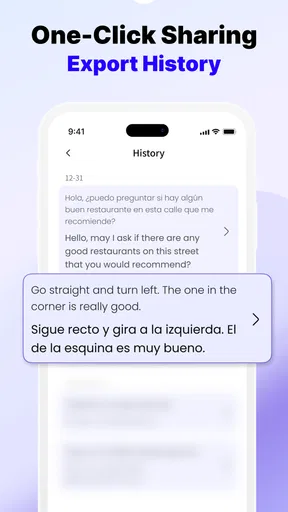
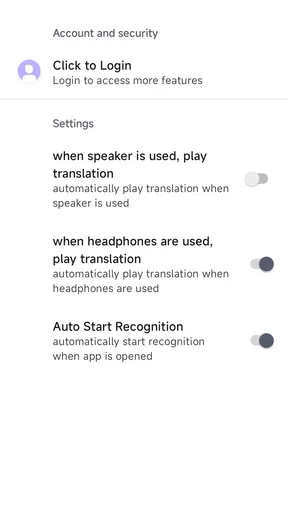
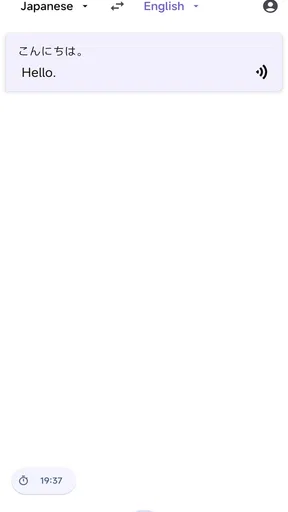
 Analysis by AppCompare
When translation fails at the wrong moment, even a simple request can become awkward. Felo Translator is aimed at those everyday gaps: making sense of a sign, following a spoken exchange, or checking a sentence before you say it. I see its biggest appeal in putting several translation situations within reach, rather than asking you to switch between separate tools while you are already trying to get somewhere or understand someone.
Where translation apps can get in the way
Translation is only useful if you can reach the right kind of input quickly. A phrase you can type is different from a menu you need to read, and neither is quite like a conversation where both people are waiting. Felo Translator brings these tasks together through text, image, and voice translation, which gives it a practical role for travelers who cannot predict what they will need next.
That range does not remove the usual friction of translation apps. Voice tools work best when people take turns, speak clearly, and give the app a moment to process what was said. A busy café, several people talking at once, or an unfamiliar name can make the result harder to trust. I would treat the translated sentence as a helpful bridge, then confirm important details with a short follow-up instead of assuming every nuance has carried over.
The same care applies to text and images. A short, plainly written phrase is easier to check than a long message full of slang or local shorthand. For a sign or menu, framing the relevant words clearly is a sensible first step; decorative lettering, glare, and crowded layouts can make any image translation less dependable. These are not reasons to avoid the tools, but they are good reasons to pause before acting on an uncertain result.
Small setup checks that save time later
Felo Translator is a free travel and local app from Felo Inc., with a Teen content rating. It has a 4.4 average from around 128 ratings, and has passed 10,000 installs. The current release is V1.6.10 (build 66), and it runs on Android 8.0 or later. I would check that your device meets that requirement before planning to rely on it during a trip, then open the app while you still have a connection and get comfortable with the way its translation options are presented.
Its offline capability deserves a careful check rather than a last-minute assumption. The app’s description of offline use involves downloading languages, so I would prepare the language I expect to need while connected and make sure it is available before leaving reliable Wi-Fi. That is a more dependable routine than discovering a weak signal at a station and only then trying to set up an essential translation.
Although the app is free to start, it includes optional in-app purchases, with items ranging from $0.99 to $39.90. I would look at any purchase prompt in context and decide whether it offers something I genuinely need, rather than treating payment as a required part of basic travel preparation. If you are installing it for a particular journey, try the tasks you expect to use before departure so you can judge whether the free experience suits your needs.
Worth Reading Before You Choose

EA SPORTS FC Mobile 26 Is a Bigger Football Game, but It Takes Time

Flipboard Shows What News Apps Must Do Beyond the Feed

Switching to Android Auto Means Rethinking Your Driving Routine

Google Calendar Makes a Crowded Week Easier to Manage

Ludo King Makes the Most of the Minutes Between Plans

Baby Panda World Brings Quick Play to Modern Phones, but Its Game Library Feels Busy
Recovering when a translation goes wrong
If a voice exchange stalls or produces an odd sentence, I would first slow the conversation down. Speak one thought at a time, avoid talking over the other person, and try a shorter version if the result seems confusing. This makes it easier to spot whether the problem is the original speech, the setting, or the translated wording. A quick rephrasing is often more useful than repeating the same long sentence louder.
For a text or image result that feels off, simplify what you are asking it to convey. Split a complicated request into small questions, or focus the camera on the part of a notice you actually need. Then check the translated meaning against the situation: a dish name, direction, or time can have consequences if misunderstood. For anything important, show the result to the other person and invite a correction instead of treating the screen as the final authority.
When you are offline, it helps to separate preparation from troubleshooting. If a downloaded language is not available, reconnect when possible and check the selected language before relying on the offline workflow. I would also keep essential addresses or booking details somewhere accessible outside the translator. That is not a knock against Felo; it is a sensible backup for any app that may be needed in places with patchy service.
When the app is not the cause
A translation can sound wrong because the original phrase is ambiguous, not because the app has failed. English expressions, jokes, idioms, and regional terms often depend on context that a short sentence does not provide. When I need to be understood, I prefer plain wording and concrete details: the place, time, item, or action. It gives a translation tool a clearer starting point and gives the other person an easier way to correct me.
It is also worth noticing the environment. A noisy street can complicate spoken input, while a dimly lit or reflective surface can make text harder to capture in an image. If a result is unreliable, move somewhere quieter or improve the view before concluding that the app itself is unusable. For medical, legal, or other high-stakes conversations, I would not rely on a consumer translator as the sole interpreter; a qualified person is the safer choice.
Using Felo Translator in everyday travel
I find that the most useful way to judge Felo Translator on a day out is to notice what kind of language problem is in front of me before opening it: a sign calls for image translation, a quick question may be easier to type, and a live exchange can benefit from voice. That small pause helps me choose a sensible starting point and keeps me from expecting one mode to handle every situation equally well.
A realistic day out with several kinds of translation
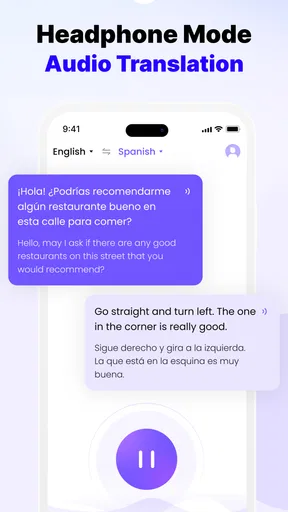
Imagine arriving in a city where you do not speak the local language. At lunch, you use image translation to understand a menu, then type a question about an ingredient rather than trying to read every line aloud. Later, you ask for directions through voice translation, keeping the request short and checking the place name on screen. At a market, a brief exchange about a product may be easier to handle one question at a time. This is where having different input methods in one app feels useful: the situation changes, but you do not have to start by searching for another translator.
A practical tip is to prepare the phrases you are likely to need as ordinary text before the moment becomes stressful, even if you do not know exactly how the conversation will go. You can use Felo to translate one clear question, then adapt it based on the answer. I would not build a whole conversation around a long scripted paragraph; short prompts make it easier to notice when the other person has misunderstood or wants to add something.
How it compares with the usual alternatives
Compared with a basic text-only translator, Felo’s mix of voice, text, and image translation is more convenient when travel throws several kinds of language problem at you. A dedicated phrasebook can be quicker for a fixed request you have prepared in advance, while a human interpreter is better when accuracy and nuance matter greatly. Felo sits in the practical middle: useful for ordinary navigation and casual exchanges, but not a replacement for language knowledge or professional help.
It may not be the right choice if you need a specialist translation workflow, must work without first preparing offline languages, or need dependable interpretation for sensitive details. Someone who mainly studies vocabulary may prefer a learning-focused tool, while a traveler who only needs a few standard phrases might be better served by a compact phrase list. I would choose Felo when I expect to move between reading, typing, and speaking, not simply because it claims to solve every language situation.
Who will get the most from it
I think Felo Translator is a good fit for independent travelers, people meeting visitors from abroad, and anyone who occasionally needs help with a sign or a brief conversation. It is especially handy when the same outing involves different formats: a printed notice, a spoken question, and a message that needs checking. Language learners can also use it as a quick reference, provided they treat the translation as a prompt for understanding rather than a substitute for practicing.
It is less appealing for someone who wants every translation to be exact without reviewing it, or who expects an app to handle complicated conversations in a noisy room automatically. Frequent travelers should also plan for connectivity rather than assuming every function will work in every location. Downloading the language needed ahead of time and keeping a separate note of essential details are modest steps that reduce the chance of being stranded by a technical snag.
First impressions and getting comfortable
From the get-go, I was impressed by the sleek and intuitive design of the Felo Translator app. It’s got that clean interface vibe we all crave in our digital tools, making it super user-friendly. No need to be a tech wizard to navigate this one; it’s straightforward and efficient, which is exactly what you want when you’re trying not to butcher someone’s language.
Installation was a breeze. A few taps, and it was ready to roll, both on Android and iOS. It didn’t hog much space on my device either, which is always a plus. Who needs more clutter, right?
Features that stand out
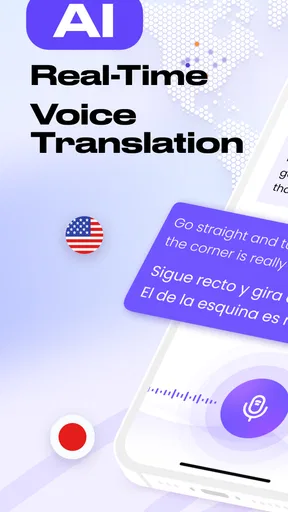
Diving into its features, there’s a lot to love here. One of my favorite parts is the real-time voice translation. You can have a conversation with someone in a different language, and Felo Translator acts as your personal interpreter. It’s like having a multilingual friend in your pocket.
Text translation is as smooth as butter. You type in a phrase, and boom, it’s translated in seconds. The app supports a wide range of languages, which is perfect for globe-trotters or anyone looking to dabble in a new tongue. It even lets you translate images – just snap a pic of a sign or menu, and Felo does the rest. This feature is a lifesaver when you’re exploring new places.
Usability and performance
Now, let’s talk about performance. The app runs seamlessly without any annoying lags. I put it to the test on both Wi-Fi and cellular data, and it delivered consistently. The translations were accurate, which is crucial when you’re relying on it for communication.
One thing that really impressed me was the offline mode. We’ve all been there—traveling somewhere remote with no internet access. Felo Translator has your back with its offline capabilities, allowing you to download languages and use them without a connection.
Personal experience
During my trial run, I used Felo Translator in various scenarios—ordering food in a foreign restaurant, asking for directions, and even striking up conversations with locals. Each time, it felt like the app was bridging cultures and making connections easier. It’s kind of amazing how technology can bring us closer together, isn’t it?
One memorable moment was using it at a local market. The vendor and I had a full chat about the best spices to buy, all thanks to Felo’s translation prowess. It’s these little interactions that make travel so enriching, and having a reliable translator just enhances the experience.
My verdict after using it
In a nutshell, if you’re looking for a reliable translation app that’s packed with features and easy to use, Felo Translator should be on your radar. It’s more than just a translator; it’s a tool for exploration and understanding. Whether you’re a frequent traveler, a language student, or just someone curious about other cultures, this app is worth checking out.
So, next time you’re planning an adventure or just want to impress your friends with your newfound language skills, give Felo Translator a whirl. It’s like having a world of languages at your fingertips. Happy translating!
Pros
- User-friendly interface that's easy to navigate.
- Supports multiple languages for versatile use.
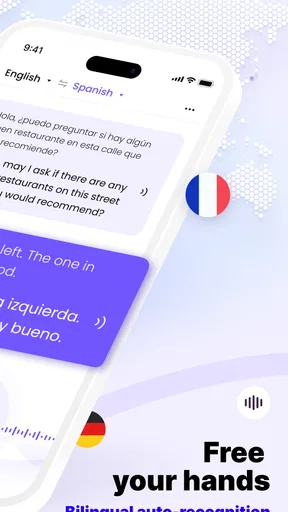
- Offers voice translation for hands-free convenience.
- Offline mode available for translation without internet.
- Quick and accurate text recognition and translation.
Cons
- Limited free version with necessary features locked.
- Occasional errors with complex sentence structures.
- Voice translation sometimes struggles with accents.
- Offline mode requires pre-downloading language packs.
- Ads in the free version can be intrusive.
FAQs for Felo Translator
What languages does Felo Translator support?
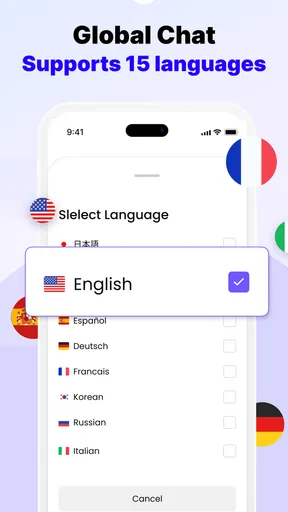
Felo Translator supports over 100 languages, making it a versatile tool for global communication. Whether you need to translate a common language like Spanish or a less widely spoken language such as Swahili, Felo Translator has you covered. This extensive language support ensures users can communicate effectively across different regions.
Is Felo Translator available offline?
Yes, Felo Translator offers offline functionality for a selection of popular languages. Users can download language packs to their devices, enabling translations without an internet connection. This is particularly useful for travelers who may encounter connectivity issues or want to avoid data charges.
How accurate are the translations provided by Felo Translator?
Felo Translator utilizes advanced AI algorithms to ensure high accuracy in its translations. However, like any machine-based translator, it may not always capture nuanced meanings or cultural contexts perfectly. Users are advised to use it as a guide and cross-check for critical communications.
Does Felo Translator offer voice translation features?
Yes, Felo Translator includes a voice translation feature that allows users to speak into their device and receive translations in real-time. This feature supports several major languages and is ideal for live conversations, making communication smoother and more efficient.
Are there any subscription fees for using Felo Translator?
Felo Translator is free to download, but it offers in-app purchases for premium features, such as removing ads and accessing advanced language packs. Users can choose to subscribe monthly or annually, depending on their needs, offering flexibility in how they use the app.


